Skip to content

Templates

Reuse HTML layouts with templates

Save your HTML and rendering settings once. Send fresh data with each request to generate PDFs or screenshots from the same layout.

POST /v1/template/{id}
curl --request POST 'https://api.doczilla.app/v1/template/{id}' \
	--header 'Authorization: Bearer <your token>' \
	--header 'Content-Type: application/json' \
	--output 'invoice.pdf' \
	--data '{
  "page": {
    "templateData": {
      "invoiceNumber": "INV-1001"
    }
  }
}'

One template, many documents

Save an HTML layout in Doczilla and send new data each time you render it

Save your HTML layouts

Edit templates in the dashboard and reuse them by template ID in the API

invoice.hbs
<p>Billed to {{debtor.name}}</p>
<p>Invoice {{number}}</p>
<p>Total ${{total}}</p>
template-data.json
{
  "debtor": { "name": "John Doe" },
  "number": "2024.0001",
  "total": "1050.39"
}
Watch the template walkthrough

Render with Handlebars

Pass values such as the recipient, invoice number, and line items as JSON

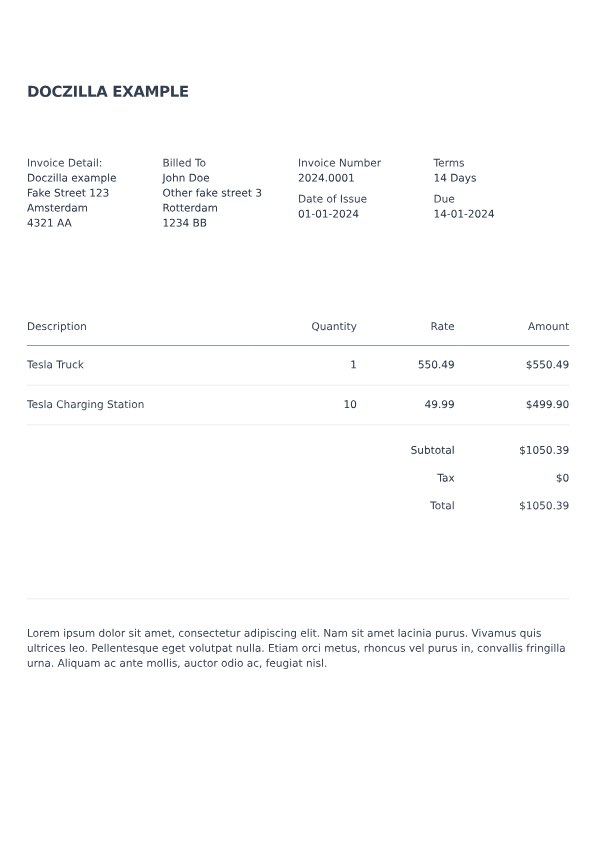
invoice.pdf
Rendered PDF invoice showing the recipient, line items, and total
  • One API request

    Generate a PDF or screenshot from HTML or a URL

  • Usage-based pricing

    Pro includes a monthly allowance, with per-request charges above it

  • Temporary downloads

    Doczilla-hosted download links expire after one hour

  • Batch rendering

    Queue jobs to process a batch of documents or screenshots in the background

  • Webhook delivery

    Get a webhook when a queued render completes

  • Signed upload URLs

    Write generated files to your own storage bucket

  • Saved templates

    Reuse a single layout with different data on each request

  • Browser rendering

    Render pages with CSS, web fonts, images, and client-side JavaScript

Frequently asked questions

Email us about Doczilla
How do I create a template?

Create one in the Doczilla dashboard or through the Templates API. Save an HTML layout, choose an output format, and configure your rendering options.

How do I add data to a template?

Use Handlebars expressions in your HTML, then send their values as JSON in page.templateData when you render the template by ID.

Can I use templates for screenshots?

Yes. Choose PDF or screenshot output when you configure the template.

Create your first template

Start with 250 requests a month on the free plan